Animation video production used to require either a professional studio or months of learning specialized software. Both options put it out of reach for most small businesses, individual creators, and marketing teams working without a dedicated production budget. AI-based tools have changed that situation significantly in the past two years.
This guide covers the current state of AI animation video editing in 2026, what these tools can realistically do, where they still fall short, and how to choose the right approach for your specific production goals.
What AI-Based Animation Video Editing Actually Does
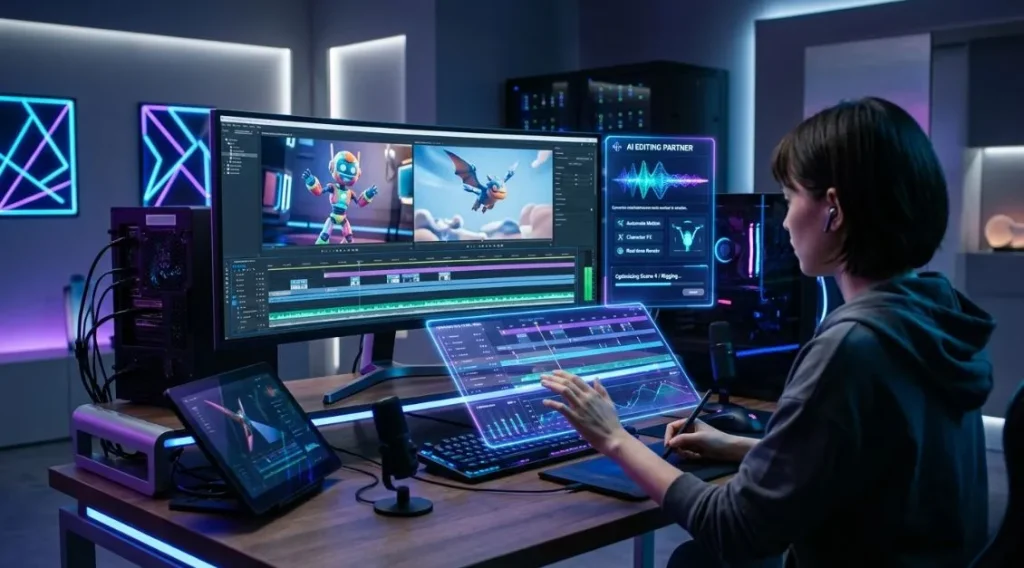
The Core Functions
Automating Tasks That Used to Require Manual Work
Even for businesses building a strong digital presence, this shift matters because visual identity is no longer limited to static design — it extends into motion, consistency, and presentation. That’s why many brands first focus on getting the fundamentals right, like understanding how to get a good business logo design before expanding into animated and video-based branding. including motion path generation, automatic lip sync from audio, style transfer between animation styles, and background generation from text prompts.
Text-to-Animation Generation
The most significant development in AI animation in 2025 and 2026 has been the maturation of text-to-video tools capable of generating animated sequences from written descriptions. Tools like Runway Gen-3, Pika, and Kling have moved from producing jerky, low-resolution output to generating short animated clips that are genuinely usable in commercial and marketing contexts. The quality ceiling is still below what a professional animation studio produces, but the gap has narrowed considerably.
The Main Categories of AI Animation Tools in 2026
| Tool Category | What It Does | Best For | Skill Level Required |
| Text-to-video generators | Creates animated clips from text prompts | Short social media content, concept visualization | Low to moderate |
| AI video editors | Automates cuts, transitions, color grading, captions | Editing raw footage quickly and consistently | Low |
| Character animation tools | Animates characters from still images or photos | Marketing characters, explainer videos | Moderate |
| AI lip sync tools | Syncs character mouths to audio automatically | Dubbing, narrated animation, dialogue scenes | Low to moderate |
| Style transfer tools | Applies animation styles to video footage | Converting live video to animated look | Low |
| AI background generators | Creates animated environments from prompts | Scene setting, virtual production backgrounds | Low |
Key AI Animation Tools Worth Knowing in 2026
Text-to-Video and Full Animation
Runway Gen-3 Alpha
Runway’s Gen-3 model represents a significant step up from earlier text-to-video tools. It handles motion consistency better than most competitors, producing clips where objects and characters move in physically plausible ways rather than the morphing artifacts common in earlier generation models. It is subscription-based and produces 10-second clips at professional-grade resolution. It works best for abstract or stylized content and still struggles with complex multi-subject interactions.
Pika 2.0
Pika has focused on user-friendliness and speed over maximum quality. It generates animated clips quickly from text or image prompts and includes editing tools that let users modify specific elements of generated video without regenerating the whole clip. For marketing teams that need to produce short animated content at volume, the speed advantage is meaningful.
Adobe Firefly Video
Adobe’s entry into AI video generation integrates directly with Premiere Pro and After Effects, which makes it particularly useful for editors already working in the Adobe ecosystem. It is better suited to enhancing existing footage than generating animation from scratch but the integration with professional editing workflows makes it practically useful in ways that standalone tools are not.
Character Animation
D-ID and HeyGen
Both D-ID and HeyGen specialize in animating still images of faces to match audio input. They are widely used for creating talking head videos, explainer content, and multilingual video production where a character needs to speak in multiple languages without re-recording. The output quality has improved substantially and both platforms now offer API access for workflow integration.
AI-Assisted Video Editing
CapCut AI and Descript
As creative workflows evolve, businesses are also realizing that video content doesn’t exist in isolation — it connects directly with their broader digital identity. For example, improving overall user experience through better digital presence, like focusing on benefits of custom website design for business, often leads to stronger engagement across both websites and video content., a genuinely different model from traditional timeline editing that significantly speeds up revision workflows.
What AI Animation Does Well and Where It Still Falls Short
| Capability | Current State in 2026 | Reliable for Production? |
| Short clips under 10 seconds | High quality from top tools | Yes, for most marketing use cases |
| Character consistency across scenes | Improving but inconsistent | With care; verify each scene |
| Complex multi-character interactions | Still unreliable | Not reliably |
| Lip sync from audio | Very good from specialist tools | Yes |
| Style transfer on existing footage | Solid results | Yes for most styles |
| Text and typography animation | Good in editing tools like CapCut | Yes |
| Full-length animated content | Not feasible at professional quality | No |
| Brand-consistent character repetition | Improving with new model controls | Partially |
Practical Workflow for AI Animation Video Production
A Step-by-Step Approach
Step 1: Define the Output Format and Length
AI animation tools produce different quality results at different lengths. Shorter clips from better tools consistently outperform attempts at longer content. If your goal is a 30-second brand animation, plan to produce it as three to four 8-second clips assembled in an editing tool rather than trying to generate 30 seconds directly.
Step 2: Write Detailed Prompts
Text-to-video tools respond significantly better to detailed, specific prompts than to vague descriptions. Include camera angle, lighting style, mood, color palette, movement direction, and subject description in each prompt. Treat prompt writing as a skill worth developing separately from the video editing workflow.
Step 3: Generate Multiple Variations
AI video generation is not deterministic. The same prompt will produce different results on each run. Generate four to six variations of each clip and select the best one rather than accepting the first output. The variation selection step is where human judgment adds the most value in an AI-assisted workflow.
Step 4: Assemble and Edit in a Traditional Tool
- Import selected clips into CapCut, Adobe Premiere, or DaVinci Resolve
- Apply color grading for consistency across clips from different generation runs
- Add captions, brand elements, and music in the editing stage rather than in generation
- Use AI caption tools to add subtitles automatically from the audio track
- Export in the format and resolution required for each distribution platform
Final Thoughts
AI animation video editing in 2026 is genuinely useful for specific tasks and genuinely limited for others. Short-form marketing content, explainer animations, social media clips, and AI-narrated talking head videos are all within reach of teams without animation backgrounds. Long-form character-consistent animation for broadcast or streaming contexts is not.
The practical value is in knowing where the tools work reliably and building production workflows around those strengths rather than fighting the limitations.
Fastest Logo helps brands develop their complete visual identity including video and animation assets. If you want to talk about what AI animation could do for your content production, reach out.
FAQs
1. What is AI-based animation video editing?
AI-based animation video editing uses machine learning tools to automate tasks like clip generation from text prompts, character animation from still images, lip sync from audio, automatic captions, and style transfer. It reduces the production time and skill requirements for animated video content significantly.
2. What are the best AI animation tools in 2026?
For text-to-video generation, Runway Gen-3 and Pika 2.0 are leading options. For character animation and lip sync, D-ID and HeyGen are widely used. For AI-assisted editing workflows, CapCut AI and Descript offer strong automation features at accessible price points.
3. Can AI create full-length animated videos?
Not reliably at professional quality yet. Current AI animation tools produce their best results in short clips under 10 seconds. Longer content is assembled from multiple short generations. Full-length character-consistent animation for broadcast or streaming remains beyond current tool capabilities.
4. How much does AI video animation software cost?
Costs range significantly. CapCut has a free tier. Runway Gen-3 starts at around $15 per month. HeyGen and D-ID offer plans from $29 to $89 per month for commercial use. Adobe Firefly Video is included in Creative Cloud subscriptions for existing Adobe users.
5. Is AI animation good enough for marketing videos?
For short-form marketing content under 30 seconds, social media clips, and explainer animations, yes. The quality from leading tools in 2026 is sufficient for most marketing contexts. For broadcast-quality or long-form content requiring character consistency across many scenes, human animation production is still required.