Adobe Animate and Blender are both widely used animation tools, but they are not competing products. They are built for fundamentally different types of animation, serve different workflows, and require different kinds of learning investment. Framing the choice as one versus the other misses the more useful question: which one is right for what you are trying to make?
This guide covers the genuine differences between Blender and Adobe Animate for beginners, what each is actually built to do, and how to make the decision based on your specific goals.
What Each Tool Is Actually For

The Fundamental Difference
Adobe Animate: 2D Animation and Interactive Media
Adobe Animate is a 2D animation tool designed primarily for creating frame-by-frame animation, character animation with rigging, and interactive media for web and app contexts. It produces vector-based 2D animation that works well for explainer videos, web-based interactive content, traditional cartoon-style character animation, and animated advertising. Animate is part of the Adobe Creative Cloud ecosystem and integrates with After Effects, Illustrator, and Photoshop in workflows that involve multiple Adobe tools.
Blender: 3D Modeling, Animation, and Everything Else
Blender is an open-source 3D creation suite covering 3D modeling, rigging, animation, simulation, rendering, compositing, video editing, and even 2D animation through its Grease Pencil feature. It is used in commercial film production, game development, architectural visualization, product rendering, and motion graphics. Blender is free and has no subscription fee, which is a significant practical advantage over Adobe Animate, which requires a Creative Cloud subscription.
Direct Comparison: Blender vs. Adobe Animate for Beginners
| Factor | Adobe Animate | Blender |
| Animation type | 2D vector and raster animation | 3D animation (plus 2D via Grease Pencil) |
| Cost | Part of Adobe CC subscription (~$55/month) | Free and open source |
| Learning curve | Moderate for 2D animation; steeper for interactive output | Steep; significant time investment before usable output |
| Primary output | Animated video, web content, interactive media | 3D rendered animation, game assets, films |
| Industry use | Animation studios, web designers, ad agencies | Film production, game studios, archviz, motion graphics |
| Community and tutorials | Strong Adobe ecosystem; good beginner resources | Massive community; enormous free tutorial library |
| Best beginner path | Frame-by-frame animation and basic character rigging | Modeling basics, then rigging, then animation |
| Required prior skills | Basic drawing ability helps; not essential | Spatial thinking; patience with technical complexity |
When to Choose Adobe Animate
The Right Scenarios for 2D Animation
You Want to Make Traditional or Web-Style 2D Animation
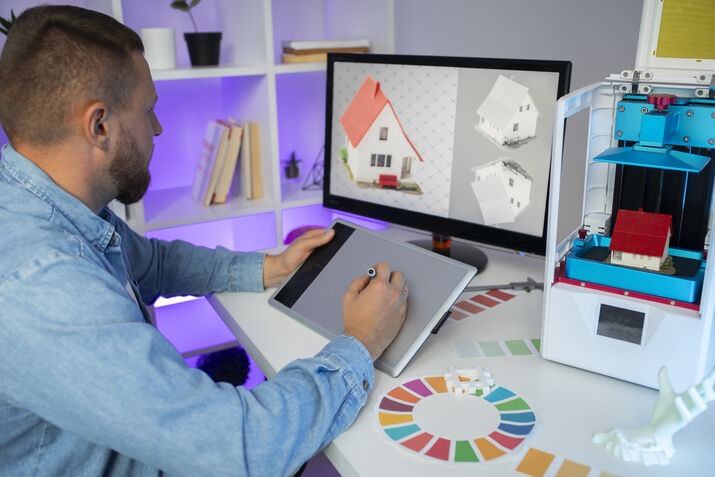
If your goal is creating cartoon-style character animation, web banners, animated explainer videos in a hand-drawn aesthetic, or interactive content for browsers and apps, Adobe Animate is the right tool. The 2D animation vs. 3D animation software comparison is clear here: Animate is purpose-built for this output and the learning path to usable results is more direct for pure 2D work than trying to do 2D animation in a 3D environment.
You Are Already in the Adobe Ecosystem
If you use Illustrator for graphics, Photoshop for images, or After Effects for motion graphics, Adobe Animate integrates naturally with these tools. Artwork created in Illustrator imports cleanly into Animate for animation. Finished Animate timelines export into After Effects for compositing. For users already invested in Adobe’s workflow, Animate fits without requiring a separate ecosystem to learn.
Your Work Involves Interactive or Web Output
Adobe Animate is the only tool on this comparison that produces interactive content for web browsers through HTML5 canvas and WebGL output. If your animation work involves interactive elements, clickable objects, branching narratives, or animated web advertising, Animate has capabilities Blender does not offer in this specific area.
When to Choose Blender
The Right Scenarios for 3D Work
You Want to Work in 3D
If your goal involves 3D modeling, 3D character animation, architectural visualization, product rendering, or any output that requires working in a three-dimensional space, Blender is the obvious choice between these two tools. Adobe Animate does not do 3D in any meaningful sense. This is not a preference question for 3D goals; it is the only reasonable answer.
Budget Is a Primary Consideration
Blender is completely free with no subscription, no per-seat licensing, and no feature limitations behind a paywall. For students, independent creators, and small studios for whom the Adobe Creative Cloud subscription represents a meaningful cost, Blender’s zero cost is a substantive advantage. The learning investment is higher, but the financial barrier is zero.
You Want to Work Toward Film or Game Industry Standards
The film and game industries use Blender extensively, alongside other tools, and its skill set is directly transferable to professional production environments. Learning Blender as a first serious animation tool builds a foundation in 3D production principles that applies broadly across the industry.
The 2D vs. 3D Decision Is Usually the Real Decision
Simplifying the Choice
Lead with What You Want to Make
- Cartoon-style 2D characters and scenes: Adobe Animate
- 3D characters, environments, and product visualization: Blender
- Motion graphics with complex compositing: Adobe After Effects (neither of these two)
- Web-based interactive animation: Adobe Animate
- Game-ready 3D assets: Blender
- Traditional hand-drawn frame-by-frame animation: Adobe Animate
- Architectural or product rendering in 3D: Blender
Can You Learn Both?
Yes, and many animators eventually do. The skills are largely non-overlapping because the fundamental working environment is different in 2D versus 3D. Learning one first does not significantly accelerate or impede learning the other, except in the general sense that understanding animation principles, timing, easing, and movement applies across both tools.
Getting Started: First Steps in Each Tool
Practical Starting Points
Adobe Animate Beginner Path
- Start with the frame-by-frame animation tools; draw a simple bouncing ball animation to learn the timeline
- Learn to use symbols and the library to manage reusable elements
- Progress to basic character rigging with the bone tool or puppet warp
- Follow Adobe’s own tutorial library, which is well-structured for beginners
Blender Beginner Path
- Start with the classic donut tutorial by Blender Guru on YouTube; this is the standard community-recommended entry point
- Learn the viewport navigation and basic modeling tools before touching animation
- Progress to rigging and animation only after you are comfortable with the 3D environment
- Accept that Blender has a steep initial curve and commit to at least 20 to 30 hours before evaluating whether it is working for you
Final Thoughts
The choice between Adobe Animate and Blender is really a choice between 2D and 3D animation. Adobe Animate is the stronger choice for 2D character animation, web interactive content, and workflows involving other Adobe tools. Blender is the stronger choice for 3D work in any form, and it is free. Neither is universally better for a beginner; the right one is the one that aligns with what you are actually trying to make.
Fastest Logo helps brands develop their full visual identity including animated and motion content. If you are thinking about what animation could add to your brand, reach out to us.
FAQs
1. Should a beginner learn Adobe Animate or Blender first?
It depends entirely on what you want to make. For 2D animation including cartoon characters, web content, and interactive media, start with Adobe Animate. For 3D modeling, 3D character animation, and game or film production, start with Blender.
2. What is the main difference between Blender and Adobe Animate?
Adobe Animate is a 2D animation tool for vector animation, character rigs, and interactive web content. Blender is a full 3D creation suite covering modeling, rigging, animation, rendering, and simulation. They serve different animation goals rather than being alternatives for the same work.
3. Is Blender harder to learn than Adobe Animate?
Generally yes. Blender has a steeper initial learning curve because working in three-dimensional space requires a different kind of spatial thinking and the interface is significantly more complex. Adobe Animate’s 2D environment is more accessible for complete beginners who want usable output quickly.
4. Is Blender really free?
Yes, completely. Blender is open-source software with no subscription, no per-seat licensing, and no features locked behind a paid tier. This is one of its most significant practical advantages over Adobe Animate, which requires an Adobe Creative Cloud subscription.
5. Can you do 2D animation in Blender?
Yes, through Blender’s Grease Pencil feature, which supports 2D drawing and animation within the 3D environment. However, for purely 2D animation workflows, Adobe Animate is more purpose-built and typically more efficient than using Blender’s 2D tools.